To enable TLS 1.3, it usually helps to add the ssl_protocols line to the second server entry. To do this, create the file /etc/grommunio-common/nginx/ssl_wh.conf - the easiest way is to paste these 3 lines in the console:
echo "# WH - enable TLSv1.3" > /etc/grommunio-common/nginx/ssl_wh.conf
echo "ssl_protocols TLSv1 TLSv1.1 TLSv1.2 TLSv1.3;" >> /etc/grommunio-common/nginx/ssl_wh.conf
echo "#" >> /etc/grommunio-common/nginx/ssl_wh.conf
Then restart nginx with systemctl restart nginx and test again by clicking “Clear Cache”.
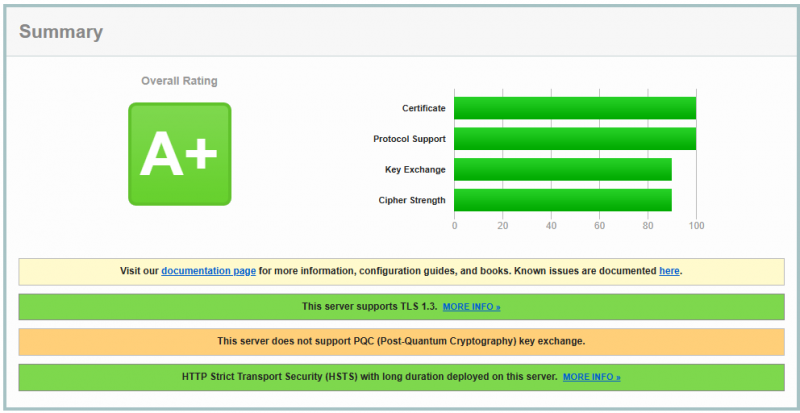
TLS 1.3 should now be supported.
Additional Information:
You can also use the command line to check whether TLS 1.3 is enabled:
echo "Q" | openssl s_client -connect localhost:443 -tls1_3
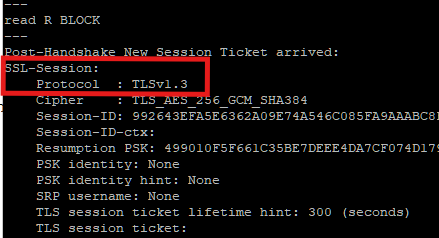
A message containing Protocol : TLSv1.3 should then appear, such as:
Note about openSUSE 16.0 update:
Before updating to openSUSE 16.0, delete the file: /etc/grommunio-common/nginx/ssl_wh.conf using the command
rm -f /etc/grommunio-common/nginx/ssl_wh.conf. Nginx on openSUSE 16.0 is newer and does not require this modification.
Enjoy grommunio