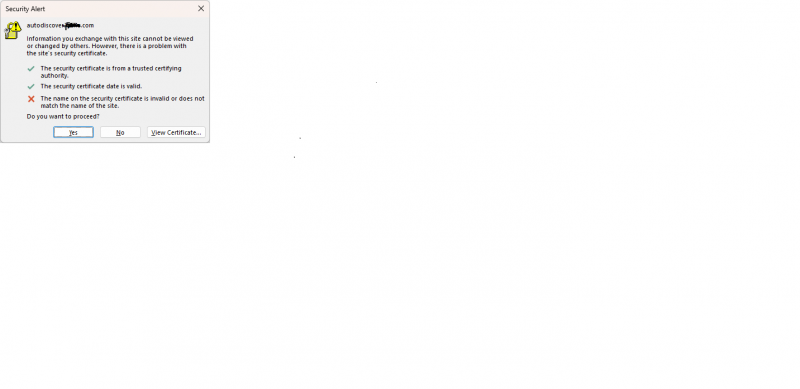
Another approach( i think up there somewhere ) would be to create an VirtualHost(apache in that context) "autodiscover.domainz.com" on the Web-Hosting-Site and do a Redirect as described
Or if configured in the apache vhost
ServerName autodiscover.domain.tld
....
RewriteRule ^/(.*)$ https://grommunio.internal.domain.tld/autodiscover/autodiscover.xml [R=301,L]
And with nginx maybe something like that
server_name autodiscover.domain.tld;
....
return 301 https://grommunio.internal.domain.tld/autodiscover/autodiscover.xml;
Which doesn't care for anything else than autodiscover.xml! So keep that in mind.
But if i'm not mistaken gromox currently only supports this endpoint?!
For all this to work your DNS-Entry should obviously point to the Web-Hosting - Wherever you might do that!/internal with reverse-proxies/outside on the normal web-hosting-server/somewhere totally different...
These snippets aren't the golden rule in any way!
The problem with those autodiscover-f*** is i would guess the password.
Maybe it would even be better to remove those "autodiscover.domain.tld" DNS-Entries completely to let Outlook "skip" that step.
And you could even disable those "Discovery-Mechanisms" via a Group-Policy.
It all depends on your Network.
I personally don't care for multiple Domains on the Grommunio-Host and also not naming them "autodiscover.xyz.tld".
The default NGINX-Configuration of Grommunio will let you use multiple Hostnames. But your certificate should reflect those. I also don't use the letsencrypt/acme-bot because in my usual setup an haproxy is in front of all HTTP(s)-Hosts and i use wildcard-domains in form of "*.customer.mypersonaldnsdomain.tld". And because of that i'm not really familiar with those Configuration-Steps because I don't have to care.
Enough said for now! :-).