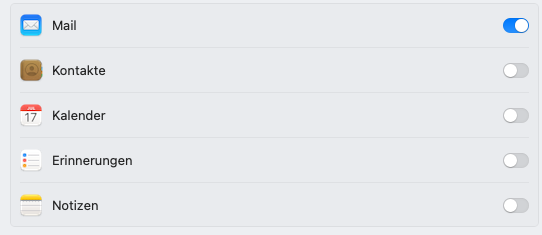
Just done update today and the DEV's have fixed the crashing issue in Mac Mail when deleting a message. On the face of it all was looking good, however, today's testing below:-
- Open Mac Mail and delete a mail - message deletes on all clients and Mac Mail still running - yippee!!
- Delete a second email in Mac Mail. message disappears from Mac Mail but not from other clients (IOS, GR Web)
- Delete another email on Mac Mail, item 2 repeats.
- Run a 'Rebuild Mailbox' on Mac Mail. Emails deleted in 2 & 3 reappear, so they were removed from cached copy but not from the Gr database.
- Delete email in Mac Mail - email initially deleted but reappears a few secs later in Mac Mail. Not deleted in other clients.
- Delete same email again, as in 5. message disappears in Mac Mail but still present in other clients.
- Close Mac Mail and re-open, message still gone but present in the clients.
- Run 'Synchronise Mailbox' on Mac mail, deleted emails in test above all return except one that deleted in 1. above.
- Read/open email in Mac Mail, all clients correctly updated marking message as read.
- Read/open email on other clients (IOS, GR Web) Mac Mail updates to show message read.
- Mark a previously read email, on IOS client, as unread. After auto Mac Mail refresh messages correctly marked as unread.
As before running Mac OS Sonoma 14.1.2 on MacBook Air M2
My Mac mail version is Version 16.0 (3774.200.91.1.1) and my current Grommunio versions (as of 12:00 today - 10-12-23) are:-
rpm -qi gromox | head -n 3 && rpm -qa *grom* | sort

Name        : gromox

Version     : 2.19.70.8c5d648

Release     : lp155.60.1

grommunio-admin-api-1.14.2.63c43b5-lp155.87.1.noarch

grommunio-admin-common-20.e87783f-lp155.16.1.noarch

grommunio-admin-web-2.8.0.21.a468a5f-lp155.68.1.noarch

grommunio-antispam-3.7.4-lp155.3.1.x86_64

grommunio-common-23.7d1954c-lp155.35.1.x86_64

grommunio-cui-1.0.256.5c857a6-lp155.60.1.noarch

grommunio-dav-1.3.18.e16f8a2-lp155.1.1.noarch

grommunio-dbconf-1.1.1.da20a46-lp155.16.1.x86_64

grommunio-error-pages-1.0.10.bb2df37-lp155.17.1.noarch

grommunio-files-25.0.13-lp155.2.1.noarch

grommunio-imapsync-2.264-lp155.2.1.noarch

grommunio-index-0.1.37.74e396b-lp155.41.1.x86_64

grommunio-release-2023.11.1-lp155.8.1.x86_64

grommunio-setup-1.0.108.f2ac66c-lp155.46.1.noarch

grommunio-sync-2.0.46.619ae1c-lp155.143.1.noarch

grommunio-web-3.6.7.20975ed1-lp155.8.1.noarch

gromox-2.19.70.8c5d648-lp155.60.1.x86_64

gromox-debuginfo-2.19.70.8c5d648-lp155.60.1.x86_64

gromox-debugsource-2.19.70.8c5d648-lp155.60.1.x86_64

grub2-theme-grommunio-1-lp155.17.1.noarch

patterns-grommunio-1-lp155.9.1.x86_64

plymouth-theme-grommunio-1-lp155.17.1.noarch

systemd-coredump-grommunio-1-lp155.3.1.noarch

systemd-presets-branding-grommunio-2023.11-lp155.1.1.noarch

system-user-grommunio-3-lp155.10.6.noarch

system-user-gromox-2-lp155.15.1.noarch
Below is excerpt from the /var/log/nginx/nginx-ews-error.log (taken post upgrade at 10:00 on 12/12/23), if this is helpful.
2023/12/12 09:55:58 [error] 1693#1693: *69 connect() failed (111: Connection refused) while connecting to upstream, client: 192.168.***.***, server: _, request: "POST /EWS/Exchange.asmx HTTP/2.0", upstream: "https://[::1]:10443/EWS/Exchange.asmx",  host: "mail.************.com"

2023/12/12 09:55:58 [error] 1693#1693: *69 connect() failed (111: Connection refused) while connecting to upstream, client: 192.168.***.***, server: _, request: "POST /EWS/Exchange.asmx HTTP/2.0", upstream: "https://127.0.0.1:10443/EWS/Exchange.asmx",  host: "mail.************.com"

2023/12/12 09:58:08 [error] 1693#1693: *366 no live upstreams while connecting to upstream, client: 192.168.***.***, server: _, request: "POST /EWS/Exchange.asmx HTTP/2.0", upstream: "https://gromoxhttp/EWS/Exchange.asmx",  host: "mail.************.com"

2023/12/12 09:58:08 [error] 1693#1693: *366 no live upstreams while connecting to upstream, client: 192.168.***.***, server: _, request: "POST /EWS/Exchange.asmx HTTP/2.0", upstream: "https://gromoxhttp/EWS/Exchange.asmx",  host: "mail.************.com"

2023/12/12 09:58:08 [error] 1693#1693: *366 no live upstreams while connecting to upstream, client: 192.168.***.***, server: _, request: "POST /EWS/Exchange.asmx HTTP/2.0", upstream: "https://gromoxhttp/EWS/Exchange.asmx",  host: "mail.************.com"

2023/12/12 09:58:08 [error] 1693#1693: *366 no live upstreams while connecting to upstream, client: 192.168.***.***, server: _, request: "POST /EWS/Exchange.asmx HTTP/2.0", upstream: "https://gromoxhttp/EWS/Exchange.asmx",  host: "mail.************.com"

2023/12/12 09:58:57 [error] 1693#1693: *366 connect() failed (111: Connection refused) while connecting to upstream, client: 192.168.***.***, server: _, request: "POST /EWS/Exchange.asmx HTTP/2.0", upstream: "https://[::1]:10443/EWS/Exchange.asmx",  host: "mail.************.com"

2023/12/12 09:58:57 [error] 1693#1693: *366 connect() failed (111: Connection refused) while connecting to upstream, client: 192.168.***.***, server: _, request: "POST /EWS/Exchange.asmx HTTP/2.0", upstream: "https://127.0.0.1:10443/EWS/Exchange.asmx", host: "mail.************.com"

2023/12/12 10:02:36 [error] 1707#1707: *123 upstream sent no valid HTTP/1.0 header while reading response header from upstream, client: 192.168.***.***, server: _, request: "POST /EWS/Exchange.asmx HTTP/2.0", upstream: "https://[::1]:10443/EWS/Exchange.asmx",  host: "mail.************.com"

2023/12/12 10:07:46 [error] 1707#1707: *1569 upstream sent no valid HTTP/1.0 header while reading response header from upstream, client: 192.168.***.***, server: _, request: "POST /EWS/Exchange.asmx HTTP/2.0", upstream: "https://127.0.0.1:10443/EWS/Exchange.asmx",  host: "mail.************.com"

2023/12/12 10:09:15 [error] 1707#1707: *2184 upstream sent no valid HTTP/1.0 header while reading response header from upstream, client: 192.168.***.***, server: _, request: "POST /EWS/Exchange.asmx HTTP/2.0", upstream: "https://127.0.0.1:10443/EWS/Exchange.asmx",  host: "mail.************.com"
Great work from the DEV's getting the persistent crashing of Mac Mail nailed. All your hard work really appreciated, and nearly at point I can use Mac Mail on my MacBook.
Mark